New Year Sale 2026! Hurry Up, Grab the Special Discount - Save 25% - Ends In 00:00:00 Coupon code: SAVE25

Welcome to Pass4Success

- Free Preparation Discussions

Linux Foundation CKAD Exam - Topic 3 Question 29 Discussion

Actual exam question for Linux Foundation's CKAD exam
Question #: 29
Topic #: 3
[All CKAD Questions]

Refer to Exhibit.

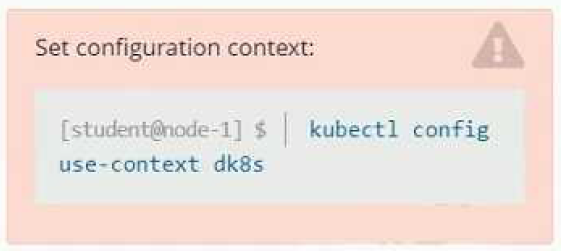
Set Configuration Context:

[student@node-1] $ | kubectl

Config use-context k8s

Context

A user has reported an aopticauon is unteachable due to a failing livenessProbe .

Task

Perform the following tasks:

* Find the broken pod and store its name and namespace to /opt/KDOB00401/broken.txt in the format:

/

The output file has already been created

* Store the associated error events to a file /opt/KDOB00401/error.txt, The output file has already been created. You will need to use the -o wide output specifier with your command

* Fix the issue.

Show Suggested Answer Hide Answer
Suggested Answer: A

Contribute your Thoughts:

0/2000 characters
Chantell
3 months ago
Sounds easy, but what if the pod isn't even listed?
upvoted 0 times
...
Jeffrey
4 months ago
You can check the pod's events with `kubectl describe pods `.
upvoted 0 times
...
Virgilio
4 months ago
Wait, how do I know which liveness probe is failing?
upvoted 0 times
...
Whitley
4 months ago
Totally agree, that's the quickest way to get the info!
upvoted 0 times
...
Cecilia
4 months ago
Just use `kubectl get pods --field-selector=status.phase=Failed` to find the broken pod!
upvoted 0 times
...
Rolande
5 months ago
I remember needing to use `-o wide` for output, but I’m not clear on how to format the output for the broken pod file.
upvoted 0 times
...
Nicolette
5 months ago
I feel like I should be able to fix the liveness probe issue by checking the logs, but I'm a bit uncertain about how to analyze the error events effectively.
upvoted 0 times
...
Paola
5 months ago
I practiced a similar question where I had to retrieve pod events, but I can't recall if I used `kubectl describe` or something else.
upvoted 0 times
...
Carrol
5 months ago
I think I remember using `kubectl get pods` to find failed pods, but I'm not sure about the exact command syntax for filtering by status.
upvoted 0 times
...
Alishia
5 months ago
Okay, I've got a plan. First, I'll use kubectl get pods to find the failed pod, then kubectl describe to get the error events. After that, I'll need to analyze the errors and figure out how to fix the issue with the liveness probe.
upvoted 0 times
...
Effie
5 months ago
I think I've got this. The key is using the right kubectl commands to get the information we need and then writing it to the specified files. Shouldn't be too difficult if we're careful.
upvoted 0 times
...
Eileen
5 months ago
Okay, let's break this down step-by-step. First, we need to find the broken pod and store its name and namespace. Then we need to get the error events for that pod and save them to a file. Finally, we need to fix the issue.
upvoted 0 times
...
Amber
5 months ago
This question looks straightforward, but I want to make sure I understand the steps correctly before I start.
upvoted 0 times
...
Leontine
5 months ago
Hmm, I'm a little unsure about the exact syntax for the commands to get the pod name/namespace and error events. I'll need to review the kubectl documentation to make sure I get that right.
upvoted 0 times
...
Tamesha
5 months ago
I'm confident that the correct answer is corporate vision. The question is specifically asking about an organization's statement of its desired future state, which aligns with the definition of a corporate vision.
upvoted 0 times
...
Delsie
5 months ago
I think the key here is understanding the differences between public and private blockchains. A private blockchain allows for more control over access and permissions, which could be important in certain use cases.
upvoted 0 times
...
Sheldon
5 months ago
The elimination of access barriers sounds familiar, but I wonder if that's a specific benefit of BGP or just a general advantage of using multiple connections?
upvoted 0 times
...
Arlette
5 months ago
Hmm, this is a tricky one. I'll need to review my notes on the key characteristics of each to determine the correct answer.
upvoted 0 times
...
Derrick
1 year ago
To modify the broker-deployment in the quetzal namespace, does restricting privilege escalation is forbidden require adding under the security Context of each container? Also, is there a specific way to test this configuration once applied?
upvoted 1 times
david bbaker
1 year ago
Yes, privilege escalation can be forbidden by adding allowPrivilegeEscalation: false, under the securityContext for each container. For running with user ID 30000, you can set runAsUser: 30000 in the same securityContext block.
upvoted 1 times
...
...

Save Cancel